
Codex is OpenAI’s coding tool, and I have no affiliation with OpenAI.
As I mentioned in a recent article, Cursor’s $20 plan means you get very little usage of third-party models, making it difficult to build things.
One thing that attracted me to use Codex was the numerous comments recommending it on that article.
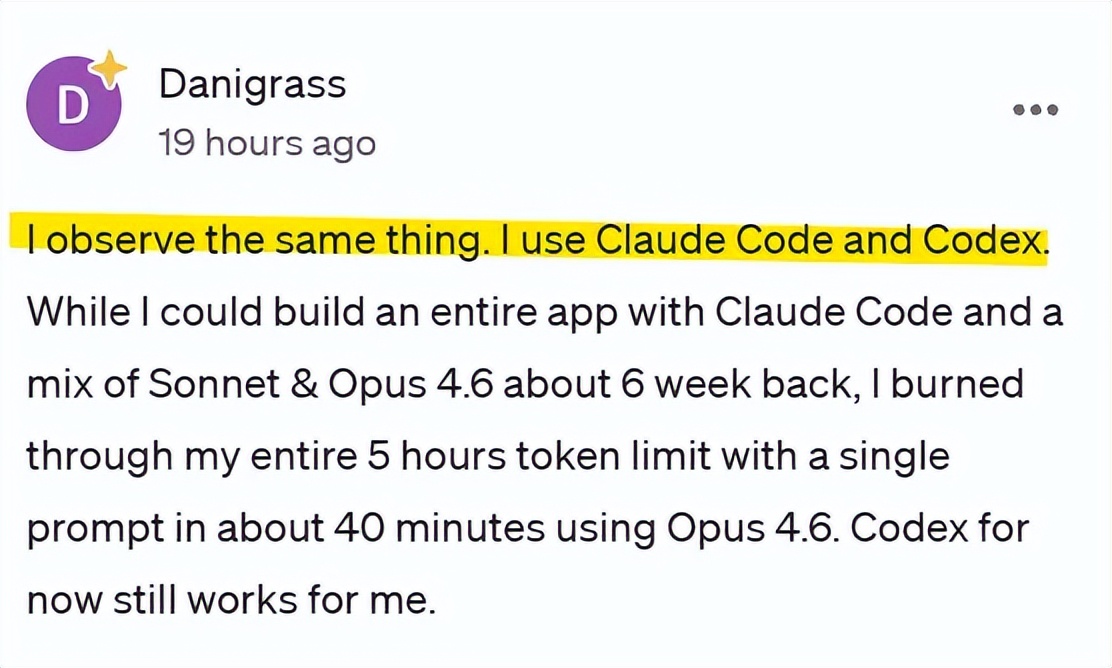
The comments also showed that everyone is using Codex alongside Claude Code and Cursor.
During my usage, the limits were quite generous.
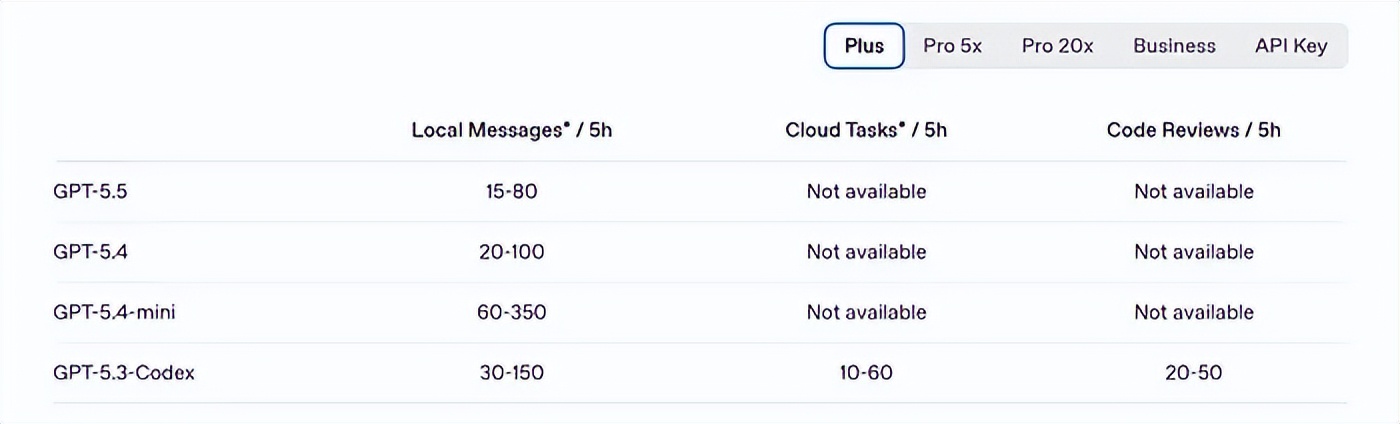
The following limits are for the Plus plan. Within a 5-hour window, you can send 15-80 messages with GPT 5.5, while GPT 5.4 allows for 20-100 messages.
This is the Pro 20x plan.
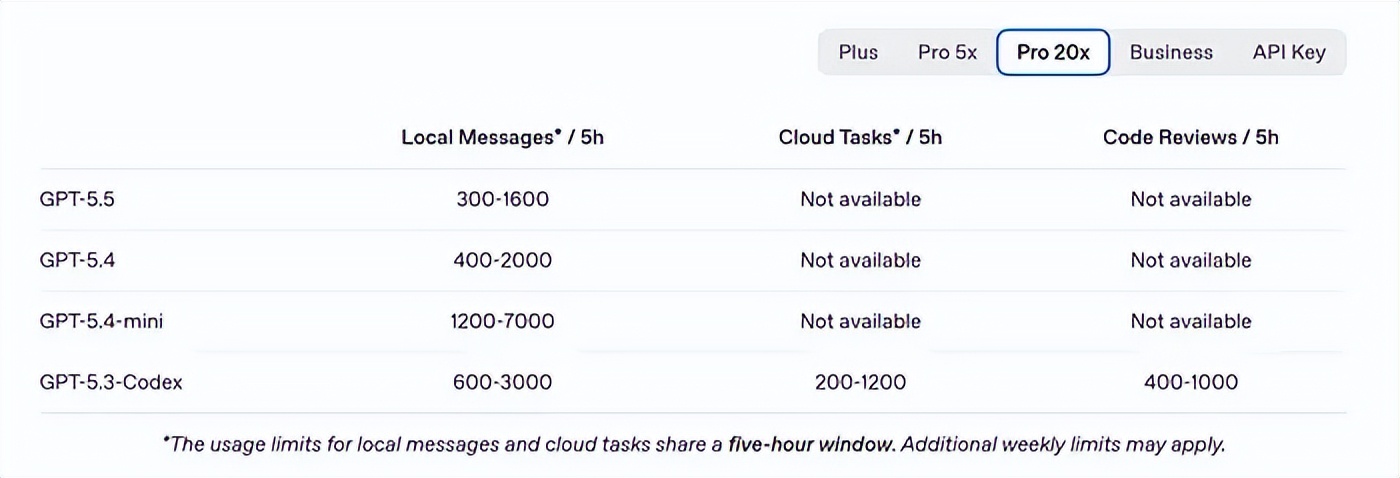
I think this is the best explanation of how much usage you can get. 300 messages with ChatGPT 5.5 in a 5-hour window is quite impressive.
You need to download it from the Microsoft Store, and it’s over 400MB!
This is what Codex looks like.
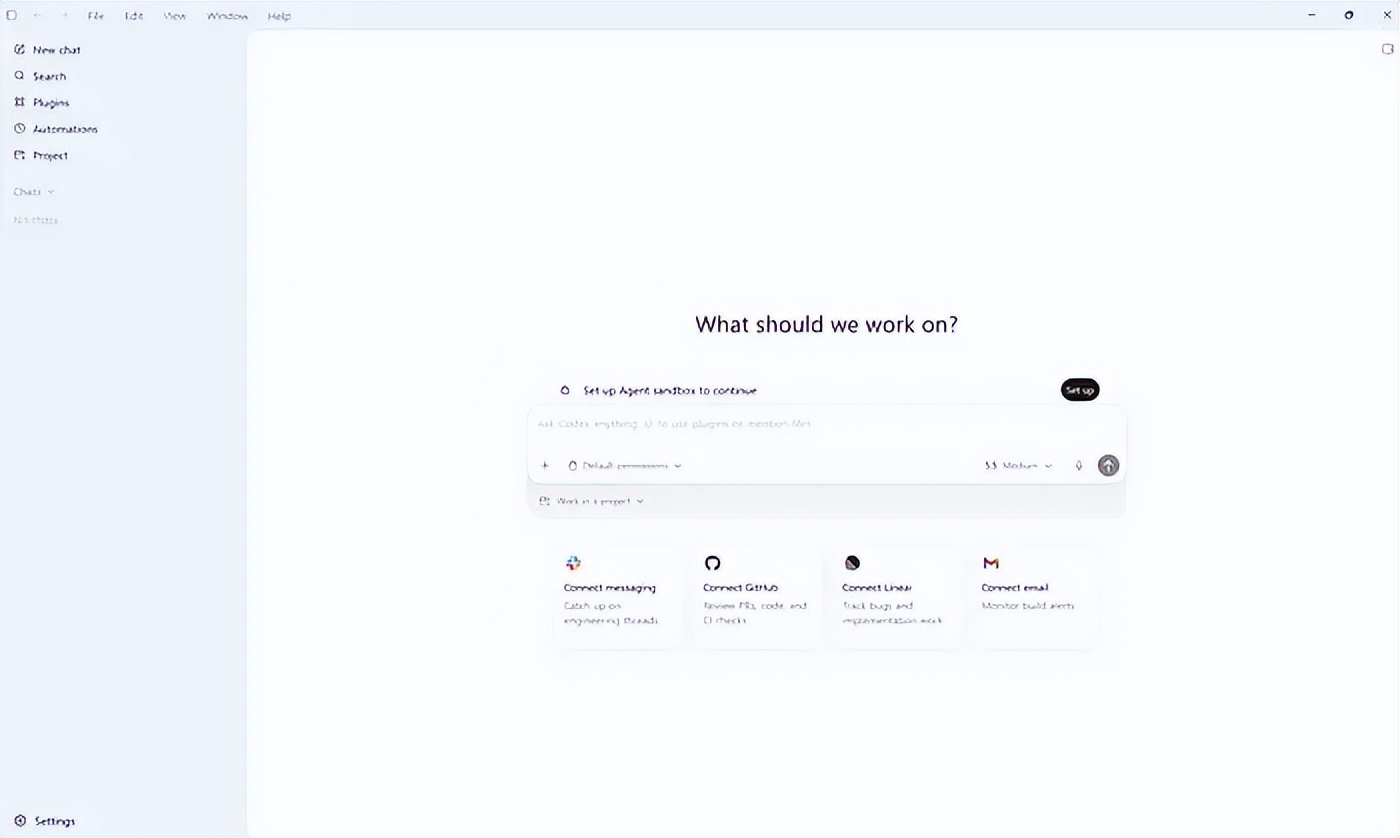
This is the wireframe of the website I want to create. It’s a site to track my books. I have a book tracker, but I made it too complicated, so this one will be simple and allow other users to join.

I entered a prompt in the chat window.
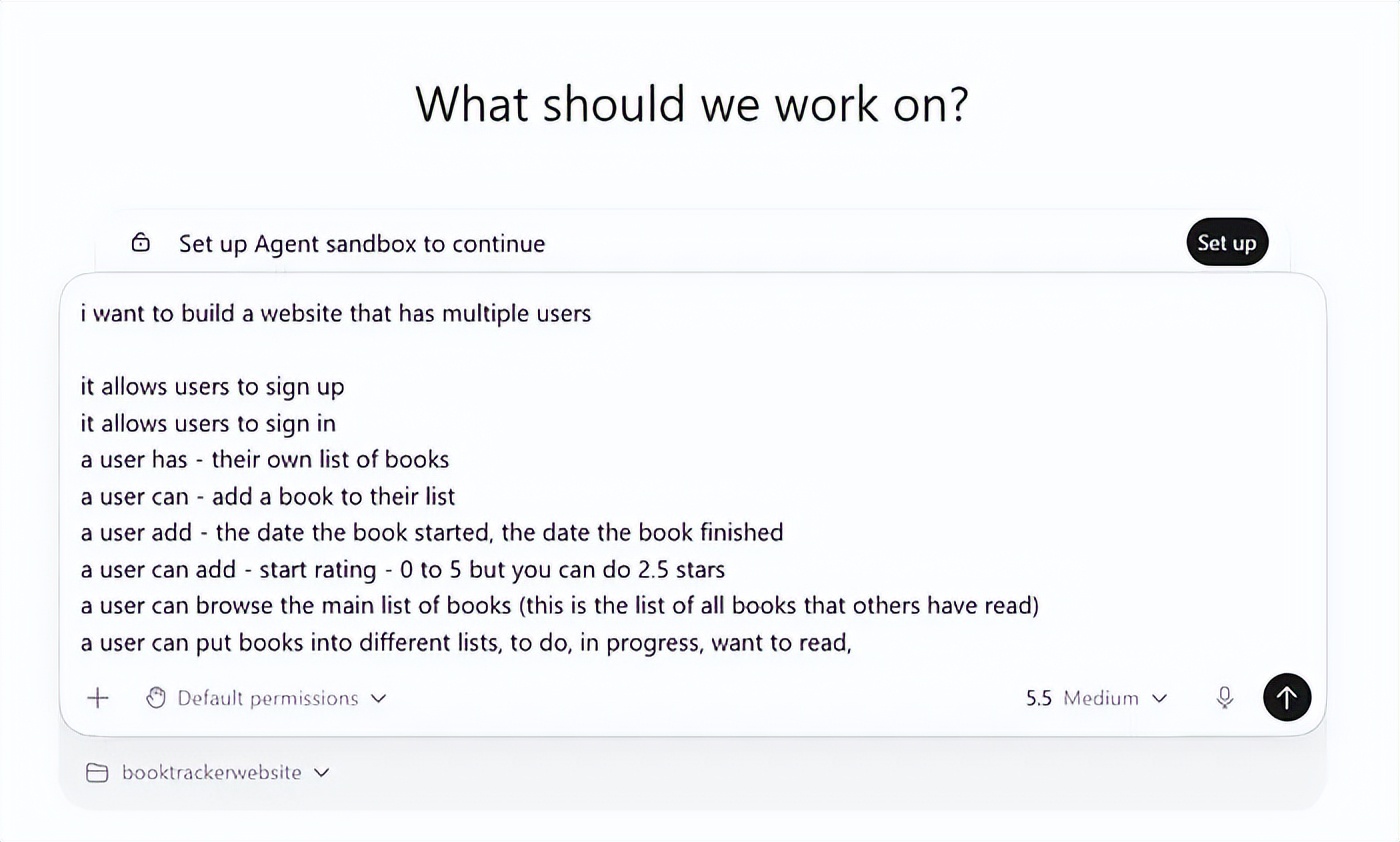
If you’re used to Cursor or VS Code, Codex will feel a bit different.
First, on the left side, there are only projects and chat. You can’t see the underlying files, which feels quite strange.
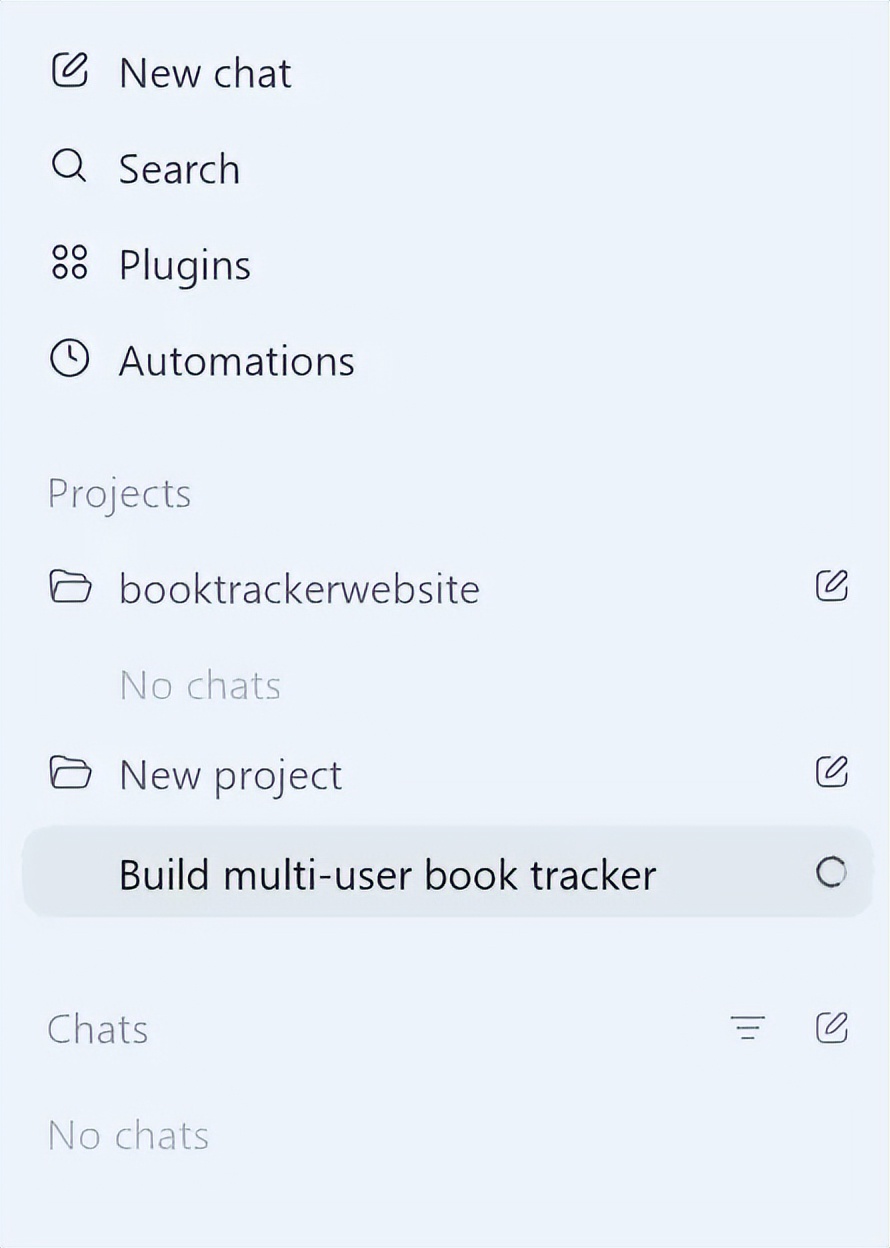
After one prompt, I needed it to fix two bugs to run smoothly.

About 15 minutes later, the website was up and running. I could paste an Amazon link, and it would automatically fetch the book details.
At this point, the website had:
- Set up Clerk for authentication
- Correctly fetched the Amazon link
- Synchronized with the database
Using Codex is indeed a different experience, but the more I used it, the more I liked it.

Opening the chat on the side is very easy. I prefer this view to Cursor, which can easily get confusing.
1. Testing a Task - Scraping a Bunch of Books
On my website Cubthinktank, I have many book reviews I’ve written in the past. I wanted to see if Codex could easily access each page, grab the Amazon links, and upload them to my new site.
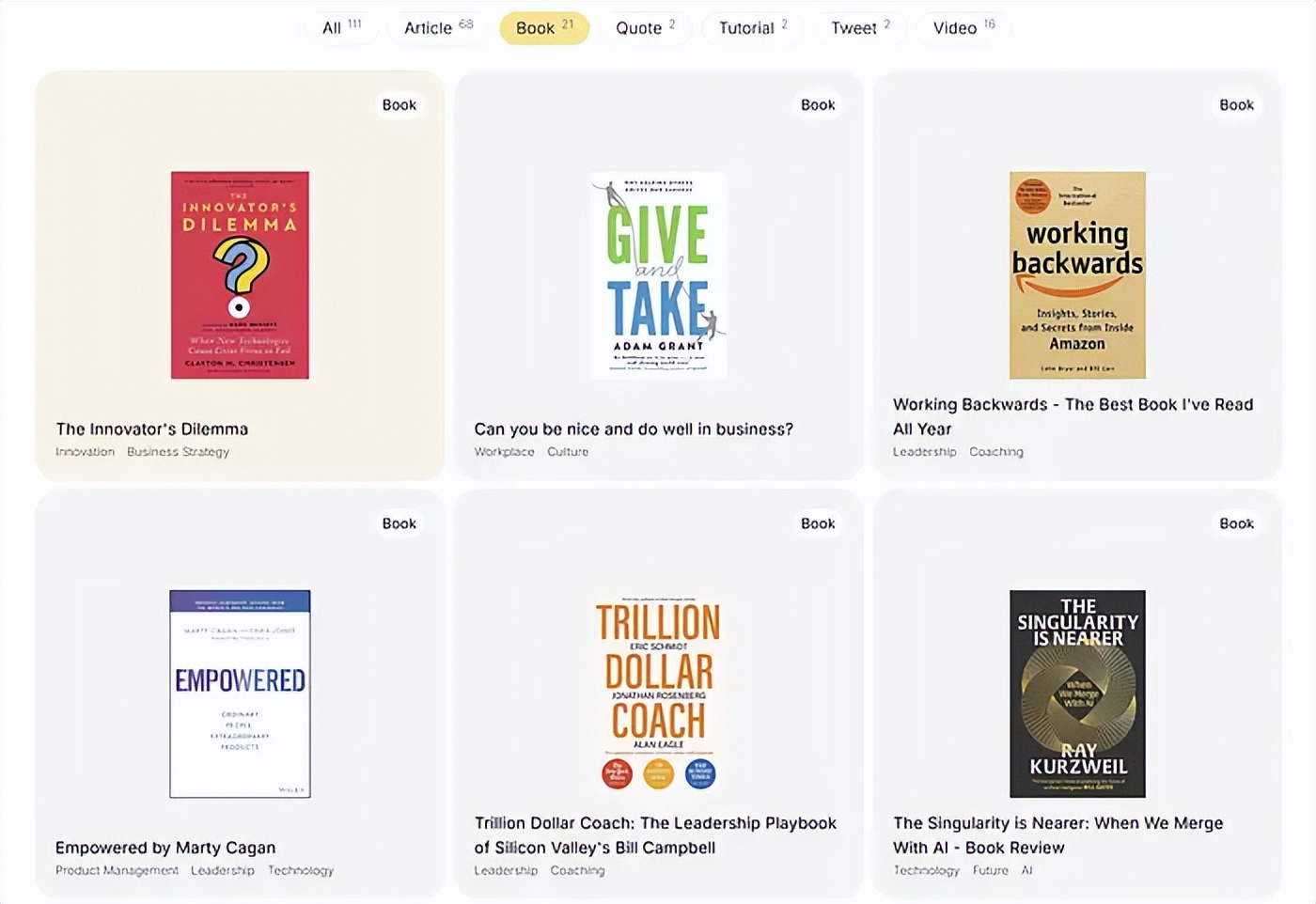
Just entering a prompt to Codex was enough.
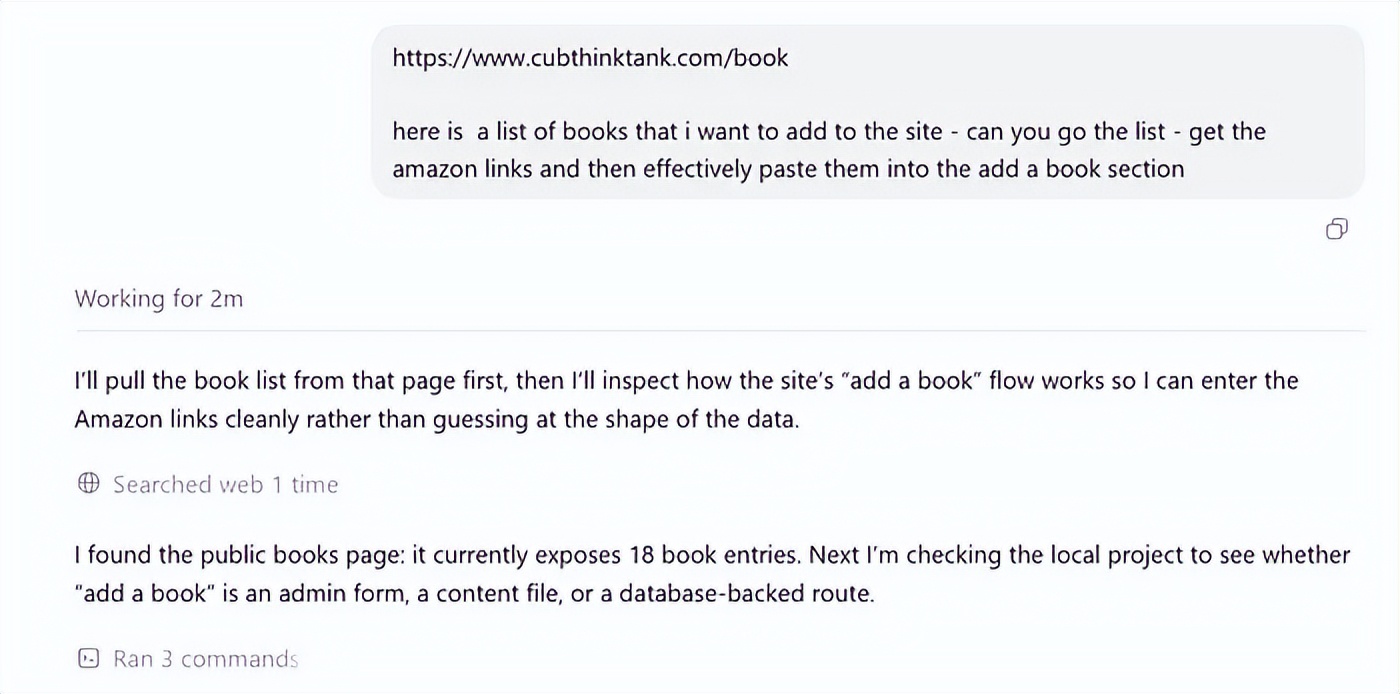
Then it uploaded all the books to my new site!

That was a cool moment.
By this time, I had been using Codex for about 3 hours, which was when I really got used to it. In a way, not worrying about files and code was nice; I just focused on the prompts, and the side navigation made multi-tab operations much easier.
The best part was.
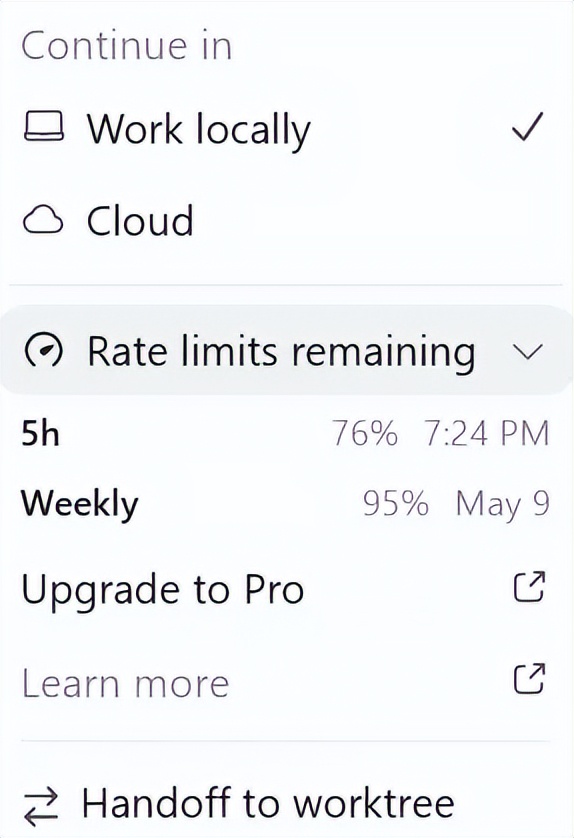
I had only used 24% of my quota. This was all on the $20 plan!
This is a great tool you can use outside of Claude Code and Cursor.
Then I thought, why not export everything from Goodreads and see how Codex handles it?
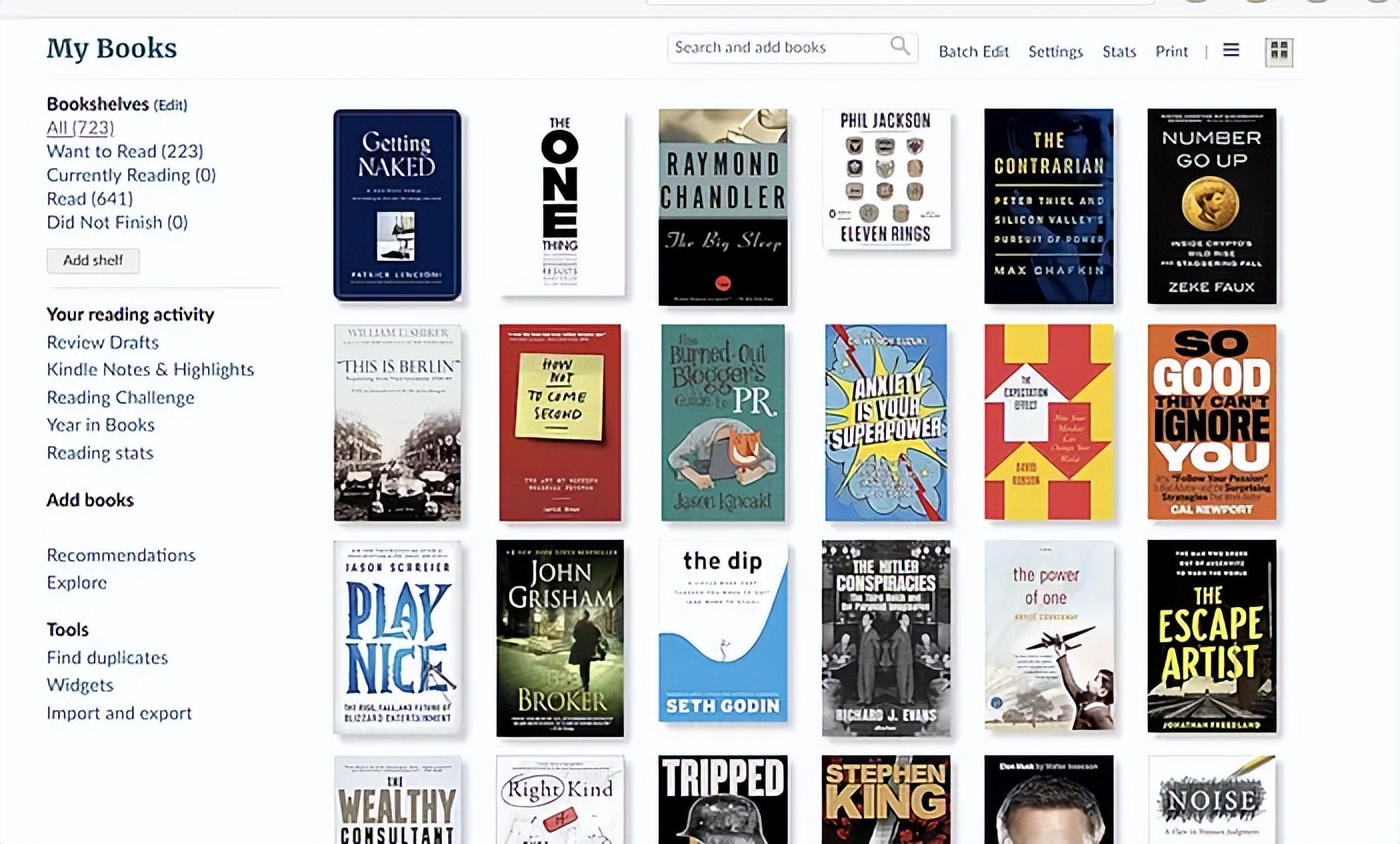
I have added 641 books on Goodreads over the past 12 years.
I was once again deeply impressed! It created an import script with just one prompt! It was so satisfying; I really didn’t like Goodreads, and having my own tool to build the way I wanted was a relief.

These are the books imported to my new site.
2. The Oddities of This Workflow
I know this sounds confusing, but you use Codex and Cursor simultaneously. You can’t see the underlying files in Codex, so if you need to view files, you still use an IDE.

So I would have them both open on my computer.
In the top right corner
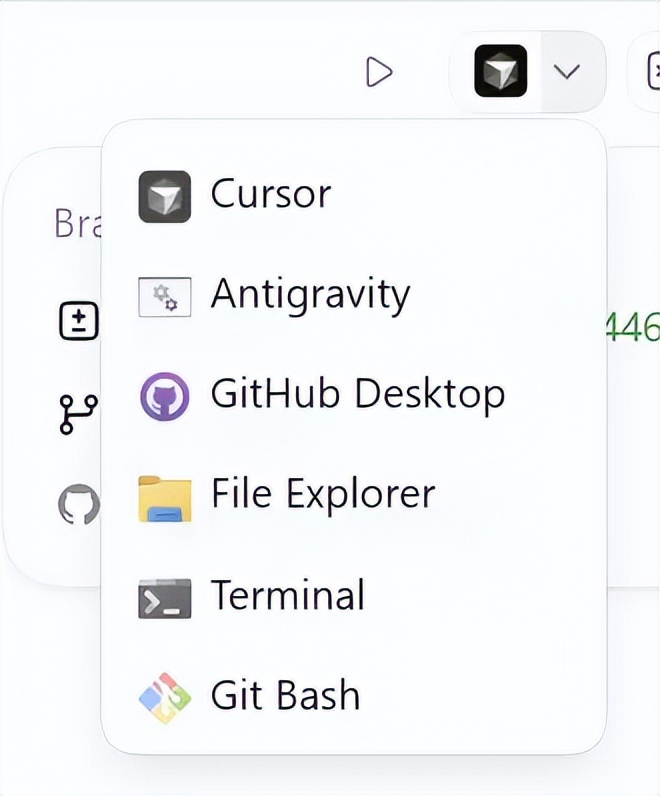
there are shortcuts to open repositories in various coding tools. It still feels a bit strange, but I quickly got used to it.
Let me answer some questions.
Will it replace Claude Code or Cursor?
If you are a developer, no. I think it’s an enhancement rather than a replacement. You need a day to get used to it, and then you can use both tools together.
What if you are not a developer?
Then yes. If you are not a developer, Codex is a perfect starting point to begin building code without worrying about installation and setup, and the UX is easier to navigate than Claude or Cursor.
However, I think you basically need to be a developer to keep Codex on track. It feels very abstract since it hides files and folders; if you weren’t a developer before, everything would feel very abstract.
How do the usage limits compare?
Currently, they seem to be running a promotion to encourage people to use Codex, and the limits do seem quite generous. As with all these tools, it’s best to use the most efficient ones.
I would say it’s really worth the money and possibly the best value among all coding tools right now.
Is it optimized like Claude Code and Cursor?
In terms of optimization, I mean a smooth and fast experience.
The answer is no. While it is indeed smooth, it feels strange; at every point, it seems to do the same queries and always seems to reinvent the wheel to find its previous position.
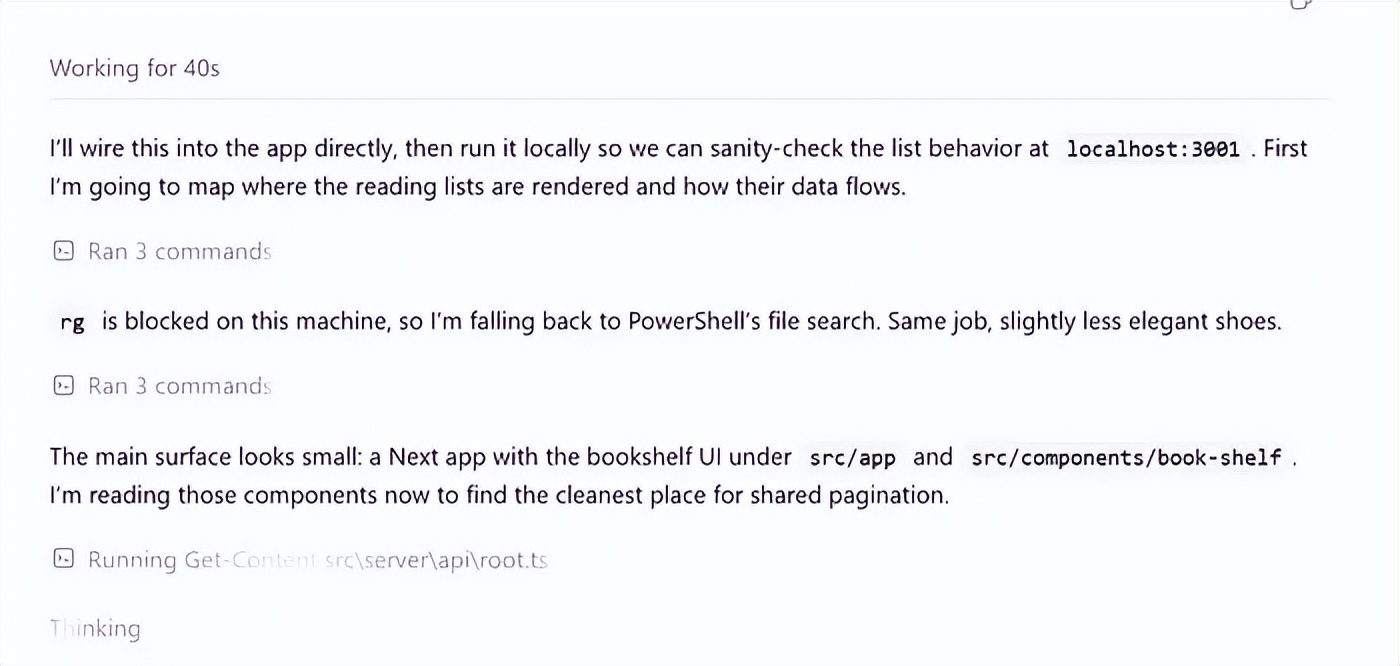
Claude Code and Cursor are much faster at this type of work and have many quality-of-life features built-in.
Is this outside of ChatGPT?
This part is not 100% clear to me, but the website says it is included in your monthly $20 plan. So if you can use ChatGPT, you can use Codex directly.
Will I use Codex in real projects?
Yes, I will.
This might be the most important point. This is not just me playing with a toy application. I am using it on things I genuinely want to build, including authentication, databases, imports, scraping, and a workflow that matters to me.
I still see it as an enhancement tool to be used alongside Cursor, and I will start using it in my real projects.
What was the biggest surprise?
The biggest surprise was how easy the workflow was.
When using Cursor and VS Code, I was always very aware of the entire codebase’s existence. That’s good, but it also means I was constantly thinking about files, folders, errors, terminals, package installations, and all the usual developer tasks.
With Codex, I felt more like I was describing the next thing I wanted, checking the results, and guiding it back on track.
It felt strange at first, but once I got used to it, I really liked it.
What are the annoying aspects of Codex?
The main annoyance is that it still frequently repositions itself.
Sometimes I think, you must know where this file is or how this works because we just did this. But then it goes back to rechecking everything.
This is not a fatal issue, but compared to Cursor, it feels slower and more roundabout. Cursor feels like you are sitting inside the codebase. Codex feels like you are managing a very powerful agent from a slightly higher position.
Who should give it a try?
Honestly, anyone who is already paying for ChatGPT should give it a try.
If you are a developer, I think it’s worth trying as another tool in your toolkit. I wouldn’t uninstall Cursor or stop using Claude Code, but I would definitely add Codex to the mix.
If you are not a developer, this might be one of the easiest ways to experience building software with AI. You will still encounter confusing moments, but the starting point is less daunting than opening a blank IDE and trying to understand everything at once.
If you are hitting usage limits on Cursor, I would definitely pair it with this. I think a plan like $60 plus this $20 plan could work well together.
Can you use ChatGPT like this?
This is something I’ve been thinking about. It looks like a good way to use ChatGPT to create projects while also controlling your computer.
I mean, you can enter prompts at the bottom of the page just like regular ChatGPT.
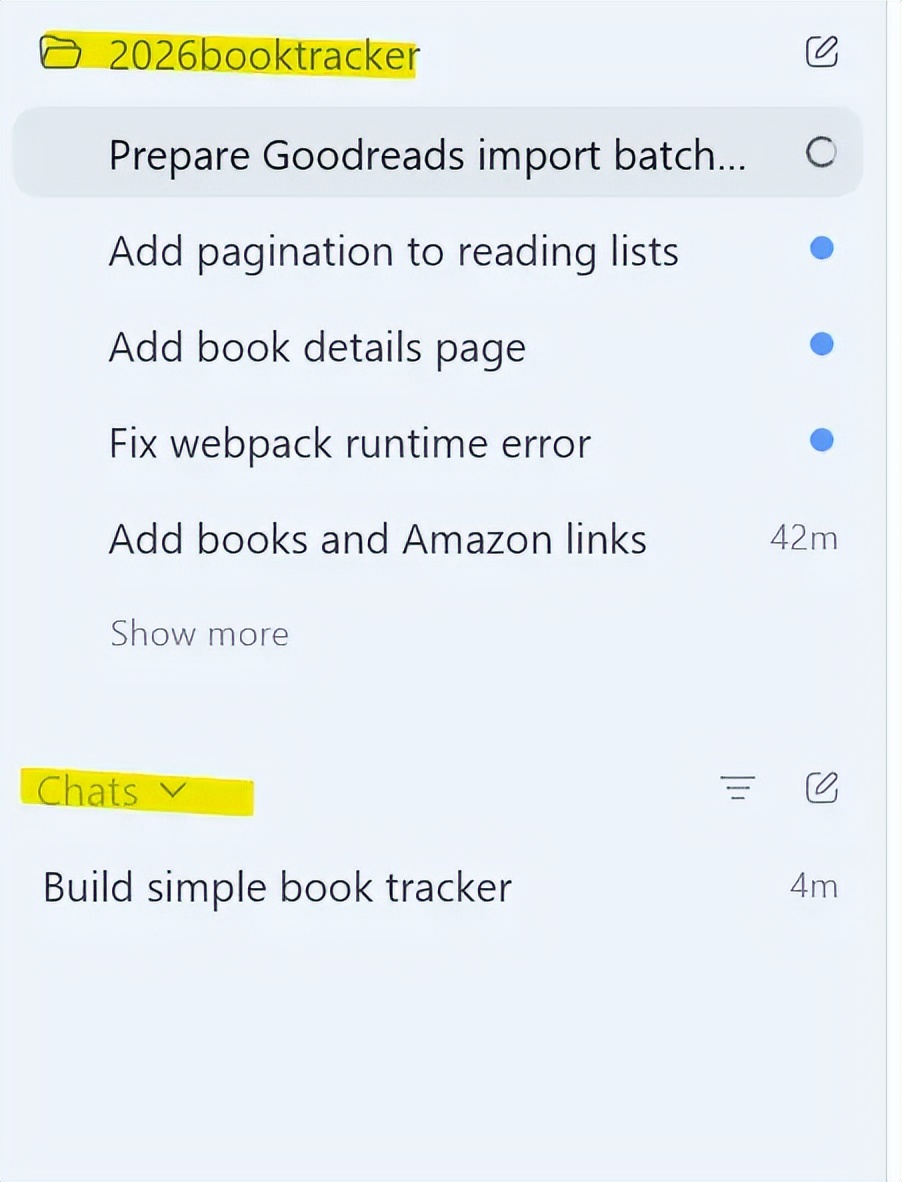
So the highlighted part above is my repository.
The highlighted part below is a chat thread.
Comments
Discussion is powered by Giscus (GitHub Discussions). Add
repo,repoID,category, andcategoryIDunder[params.comments.giscus]inhugo.tomlusing the values from the Giscus setup tool.